Get Cool+
FlagsFlags

Cool Australia acknowledges the traditional custodians of the land on which we live, learn and work, and pays respect to their Elders past and present, and to all Aboriginal and Torres Strait Islander peoples. Cool celebrates the world's oldest living culture and acknowledges that sovereignty was never ceded.

Cool.org
PO Box 1062, Windsor,
Melbourne/Naarm, 3181

Australia Flag
Cool.org operates across Australia, in metro, regional and rural areas.
Cool+ on Instagram - opens in new tabCool+ on Facebook - opens in new tabCool+ on LinkedIn - opens in new tab

Want to find out more?
Drop us a line to find out more:

Donate to Cool!
Help us keep improving our resources.

Donate
About Us
About us
Impact
Contact us
Partners
Donate
Governance
Events
Privacy Policy
Terms and Conditions
Hope Framework
Act Framework
Upgrade to Cool+
Free Teaching Resources
Free Professional Learning
Secondary STEM Professional Learning Plan
Primary STEM Professional Learning Plan
Learning Design Methodology
Subjects
Aboriginal and Torres Strait Islander Histories and Cultures
Biology
English
Geography
Health and Physical Education
History
Humanities and Social Sciences
Learning Through Literature
Learning Through Film
Mathematics
Science
The Arts
Technology
Educators
Early Learning
Primary
Secondary
Parents
Casual Relief Teachers
Years
Foundation
Year 1
Year 2
Year 3
Year 4
Year 5
Year 6
Year 7
Year 8
Year 9
Year 10
Topics
Environmental
Social
Economic
Mental Health
Outdoor learning
Online safety
Biodiversity
Climate Change
Conservation
Energy
Oceans
Recycling
Sustainability
Water
Human Rights
Mindfulness and Meditation
Physical Health
Design Thinking
Financial Literacy
Renewable Energy
Projects
Amy’s Balancing Act
2040 Film
Beyond the Bushfires
Australian Native Animals
Blue: The Film
Blueback Film
Bluey-inspired Resources
Caring for Country
Clean Up Australia Day
Climate Literacy Resources
Cool Burning
Digital Inclusion
Digital Licence+ Education Resources
Disaster Resilience
Diversity and Inclusion
Earth Hour
Embrace Kids
eSafety for Kids
Fast Fashion
Healthy and Safe Relationships Resources
Jump Rope for Heart
LifeChanger
Love Food? Love Bees!
Meaningful Moments
MobileMuster Schools Competition
NAIDOC Week
National Reconciliation Week
National Recycling Week
Net-zero Jobs
Phonics Resources
Poverty and Inequality
Regenerating Australia
Resilient Australia
Science Week Education Resources
School Holiday Resources
Schools Tree Day Resources
Some Happy Day Education Resources
STEM and STEAM Resources
Stop The Coward Punch
SugarByHalf Nutrition Resources
Tackling Racism Through Sport
Take 3 For The Sea
The Final Quarter
The Last Daughter
The Life You Can Save
The Olympic Games Resources
The War on Waste
Trailblazers Education Resources
Toyota Dream Car
Social Emotional Learning Teaching Strategies
Behaviour and Classroom Management Teaching Strategies
Harmony Day Teaching Resources
Literacy Teaching Resources
Deep Time History Resources
Teacher Wellbeing
Superstars of STEM
International Women's Day
Self-Esteem and Confidence
World Mental Health Day
Earth Day Teaching Resources
Neuroscience in Education
Media Literacy and Critical Thinking Teaching Resources
Feature Image

How to Use Digital Tools for Effective STEM Learning

Cool+PrimarySecondaryMathematicsScienceTechnologyDigital TechnologiesEconomicDesign ThinkingTechnology

Go to

Course Summary

You will learn:

Course time:

Accreditation:

Course Content

Getting Started

Getting Started

01.

Introduction

02.

Why digital STEM technologies?

03.

Set some learning goals
Fostering Creativity through ShowMe

Fostering Creativity through ShowMe

04.

Fostering creativity through ShowMe

05.

Teacher's guide to ShowMe

06.

Creating mixed media images (Student guide to ShowMe)

07.

STEM applications for ShowMe- (Reflection)
Digital equality with Scratch

Digital equality with Scratch

08.

Digital equality with scratch

09.

Teacher's guide to Scratch

10.

Creating a sprite (Student guide to Scratch)

11.

STEM applications for Scratch(Reflection)

Growth mindset with Tinkercad

Growth mindset with Tinkercad

12.

Growth mindset with Tinkercad

13.

Teacher's guide to Tinkercad

14.

Creating a 3D shape (Student guide to Tinkercad)

15.

STEM applications for Tinkercad (Reflection)
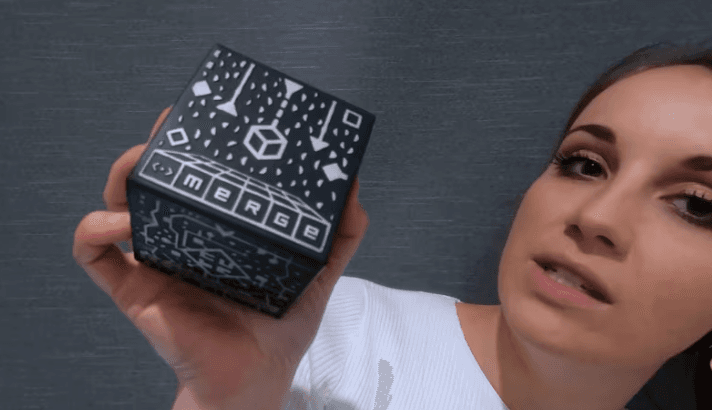
Visual literacy and numeracy responses with Merge Cubes

Visual literacy and numeracy responses with Merge Cubes

16.

Visual literacy and numeracy responses with Merge Cubes

17.

Teacher's guide to Merge Cubes

18.

Creating visual responses (Student guide to Merge Cubes)

19.

STEM applications for Merge Cubes
Artificial intelligence with machine learning for kids

Artificial intelligence with machine learning for kids

20.

Artificial intelligence with Machine Learning for kids

21.

Teacher's guide to MLK

22.

Training an AI (Student Guide to MLK)

23.

STEM Applications for MLK
Reflection

Reflection

24.

Recap

25.

Taxonomy of learning

26.

Suggestions for collaboration

27.

Cool lesson plans

28.

Congratulations

Course Writers
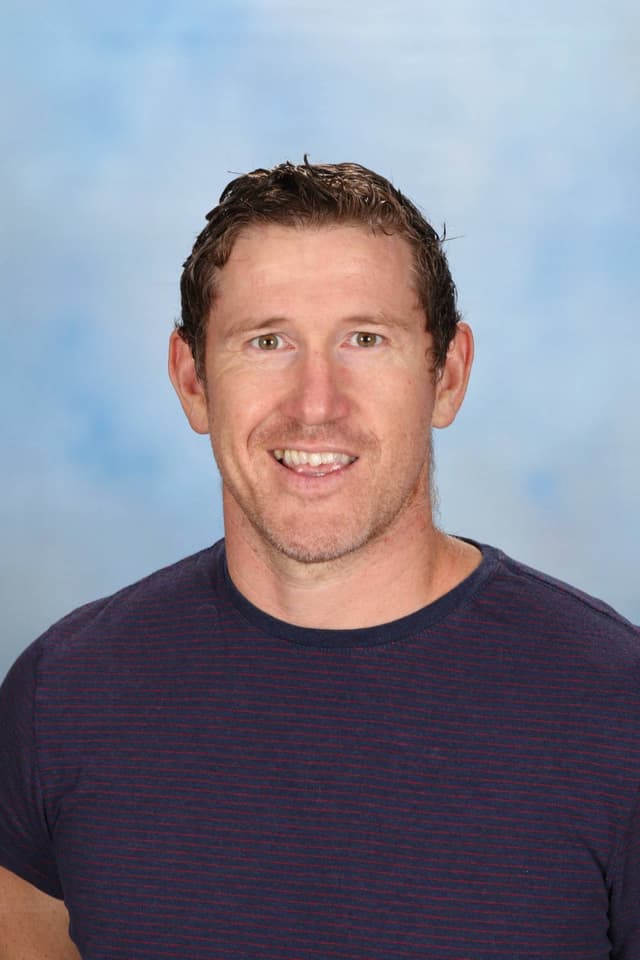
Instructor 1

Nick Pattison is a world-leading STEM educator with a focus on the primary years of education. He is currently pursuing his doctorate of education at the University of South Australia exploring the application of virtual reality environments to enhance learning in Maths, design thinking and Indigenous knowledge systems. He has extensive experience developing world-leading STEM education programs where community, industry and schools work together, which has resulted in several peer-review published papers, industry used products and the development of commercially viable intellectual property.

Instructor 2

Lauren Sutherland is currently working in a STEM specialist teaching role, in Melbourne, Victoria. She is leading collaborations and co-presenting with international educators from as far away as Brazil, San Diego, Hawai’i, New York and New Zealand. Lauren values connecting with the local community, especially Indigenous groups. She has recently collaborated alongside local Indigenous groups to use Virtual Reality (VR) to represent an Indigenous Acknowledgement of Country and has used Augmented Reality (AR) to support students in forming a response to visualise their understanding of Indigenous knowledge and systems. Lauren also co-presented at the 2021 Deeper Learning Conference for High Tech High. In this session, she explored how students can use 3D modeling to create Indigenous place-based metaphors to represent growth mindset. Lauren aspires to help educators and other professionals embed STEM across the curriculum, alongside other specialist subjects and areas, especially in primary school settings.

Frequently Asked Questions